
Attach Any File to Strflow 📎
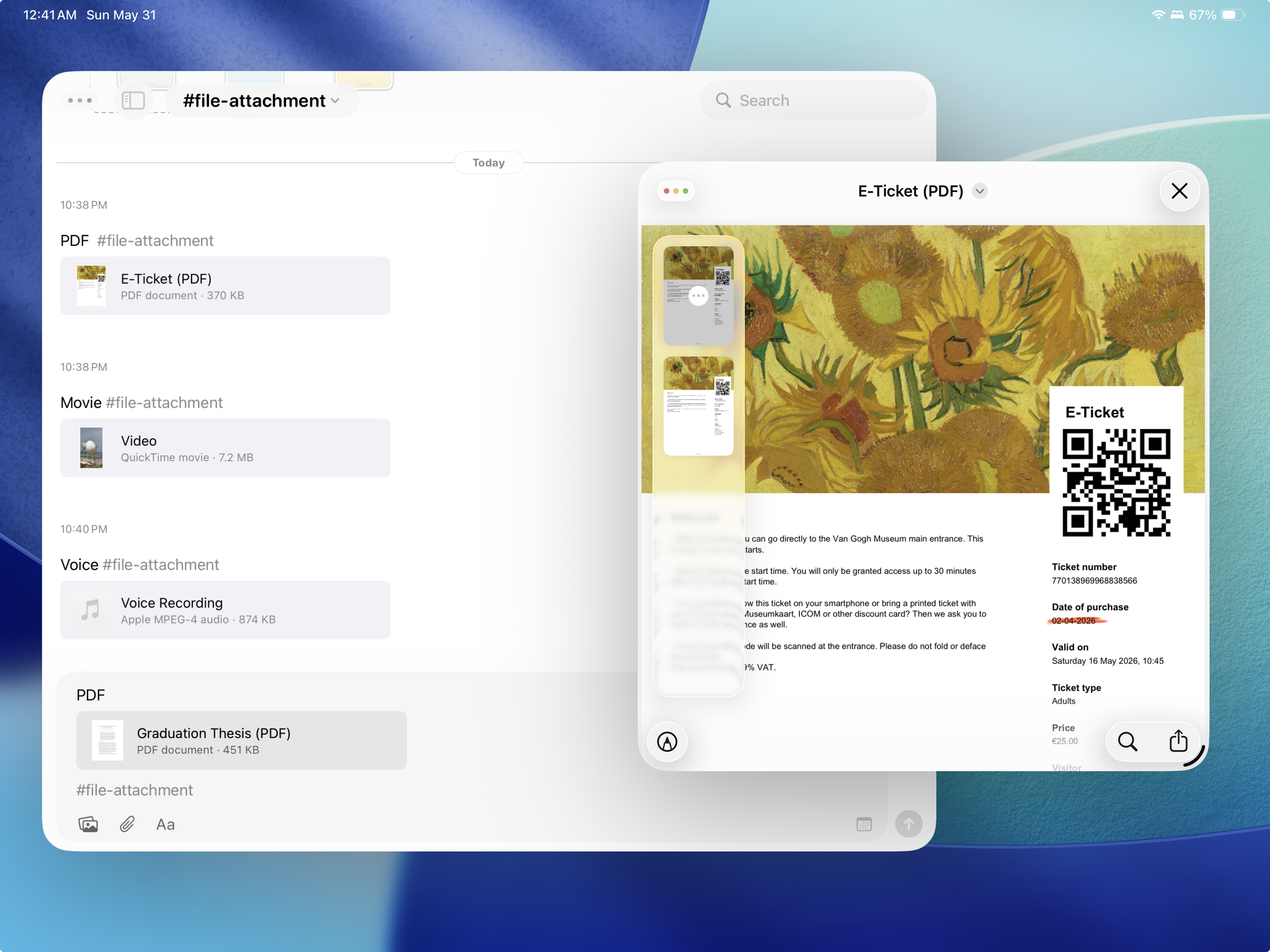
Hi, happy to let you know that you can now attach files to Strflow, including PDFs, documents, videos, audio, and more!
You can add a file in multiple ways, and they all work the way you'd expect:
- Directly inside Strflow via the composer
- Copy & paste
- Drag & drop
- Share to Strflow from another app
Once a file is attached, tap it to preview it with the system's built-in viewer.
You can attach as many files as you like, as long as your storage allows. For now, each file is limited to 250 MB to keep syncing smooth and fast. So it's not meant for long videos, but it works well for most everyday documents.
Currently, a file appears in your text as a simple thumbnail card. I'm planning to keep refining this, with previews tailored to each file format.
Give it a try and let me know what you think!